Citrix
Get Started with Citrix Cloud API Access
Creating a service principal, generate bearer tokens, and authenticate with Citrix Cloud APIs.
Get Started with Citrix Cloud APIs
Citrix Cloud services streamline the delivery and management of Citrix technologies, allowing you to extend existing on-premises deployments or fully transition to the cloud.
Step 1: Create a Service Principal
- Log in to Citrix Cloud.
- Click the Menu in the top-left corner.
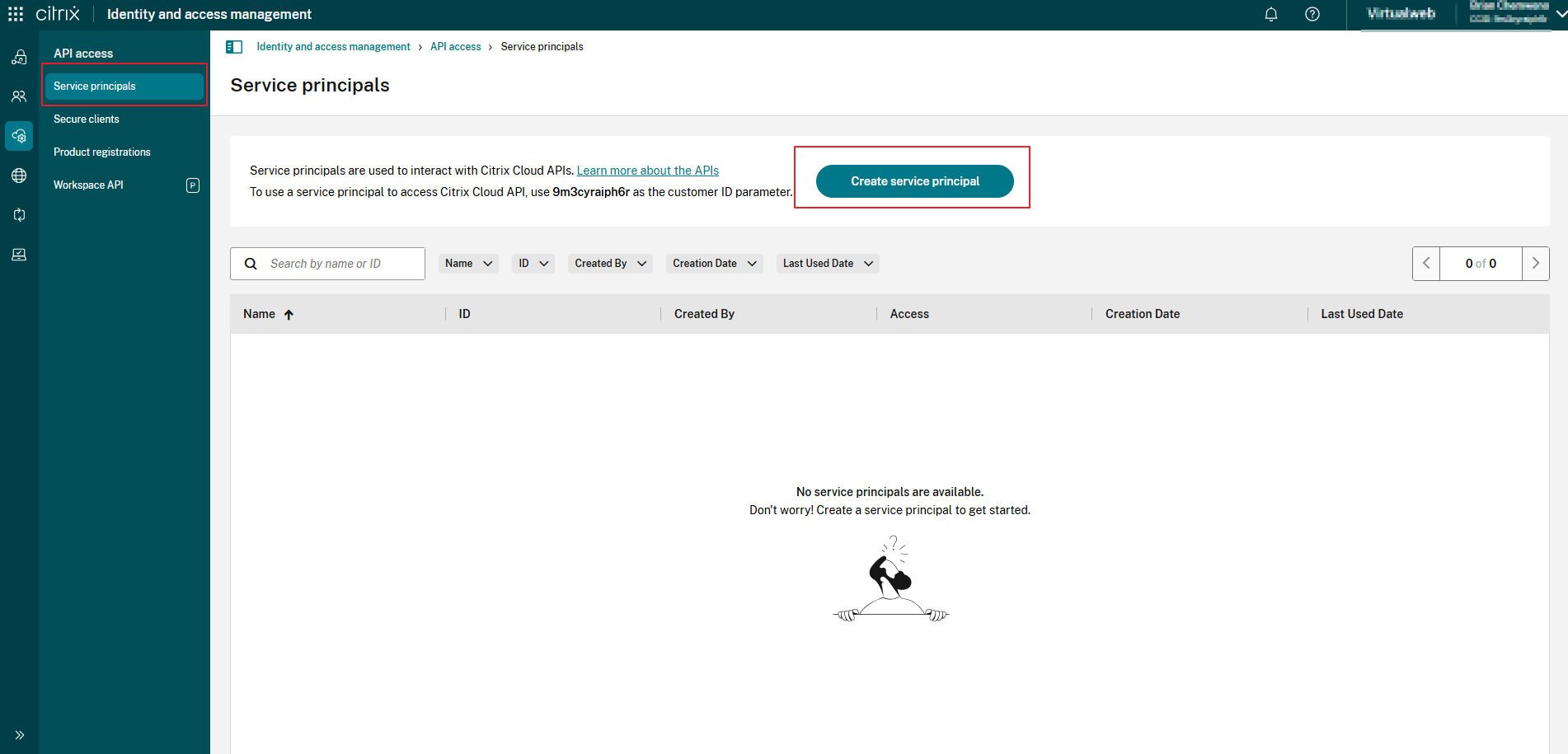
- Navigate to Identity and Access Management > API Access > Service principals.
- Click Create service principal and follow the prompts.
If you don't see this option, ensure you have Full Access admin rights.
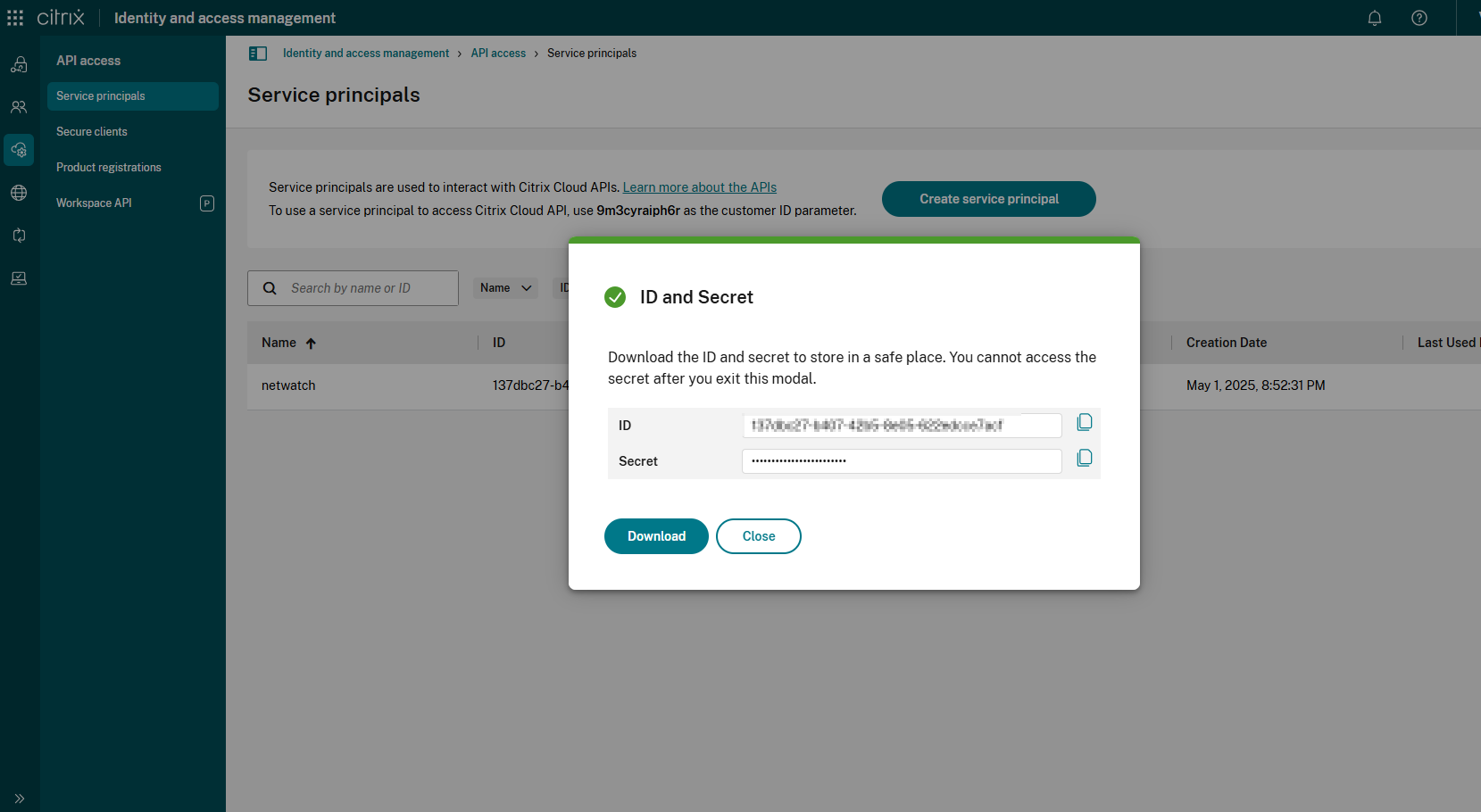
- Save the Client ID and Secret immediately — they will not be shown again.
Step 2: Generate a Bearer Token
Using the clientId and secret from the previous step, obtain a bearer token.
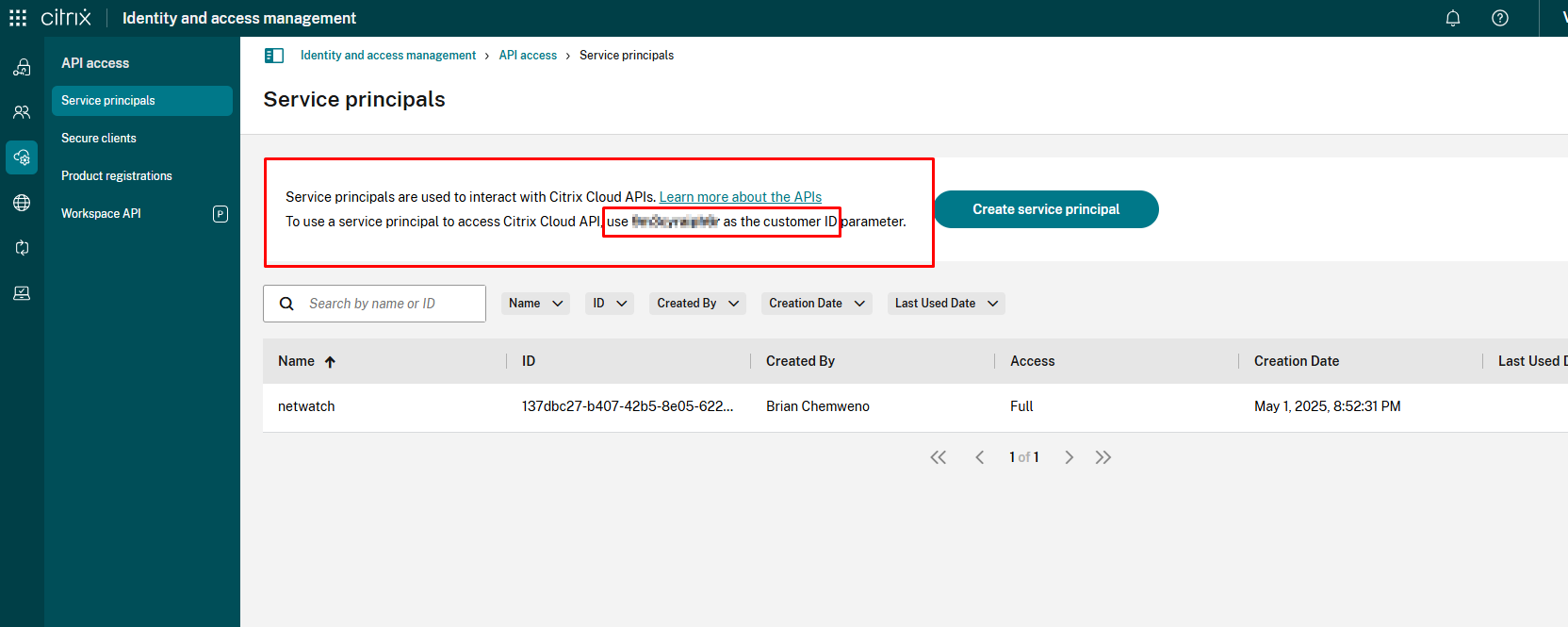
Copy the Customer ID here:
Open CMD and make the Request:
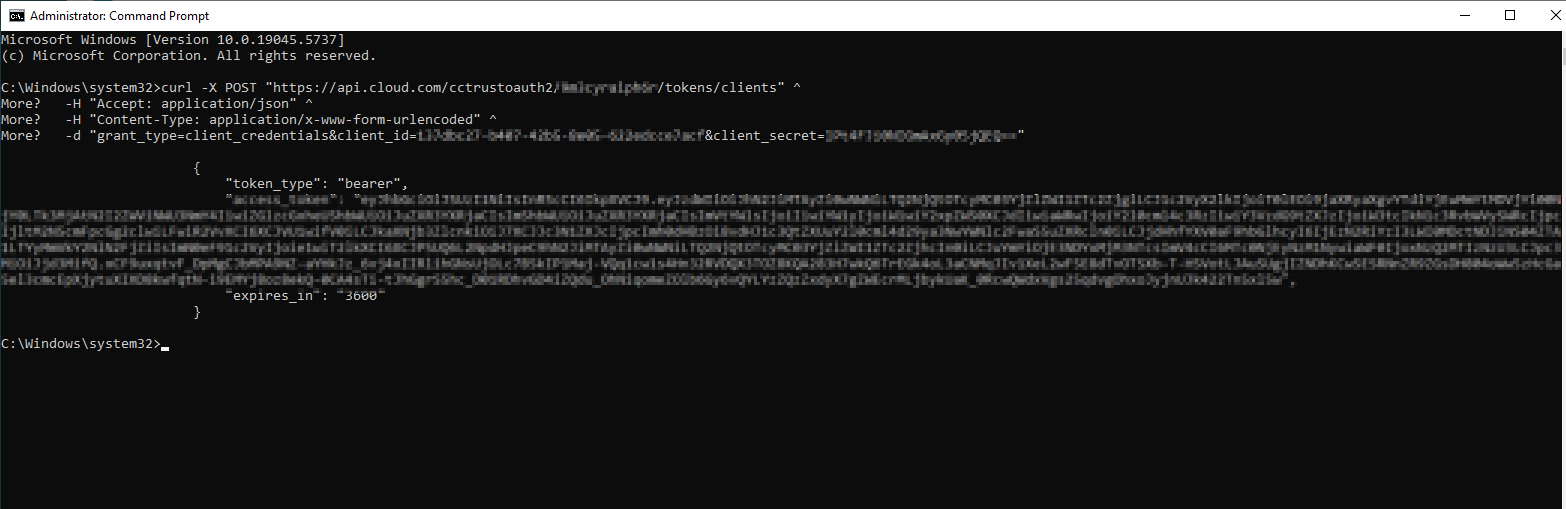
Response:
Step 3: Connect Netwatch to Citrix Cloud Using the API
Now that you have the Access Token, Customer ID, and Secret, you can connect Netwatch to Citrix Cloud to monitor key metrics.
Use the token from Step 2 to authenticate requests: