SNMP Configurations
Configuring SNMP monitoring in Netwatch.
Overview
To monitor Network devices with Netwatch, you'll need to configure Netwatch to use SNMP and then add the devices as hosts, linking them to appropriate templates for monitoring specific metrics.
1. Enable SNMP on Your SonicWall Firewall
- Ensure that SNMP is enabled on the Network device.
- Set a community string (or use SNMPv3) for Netwatch to access the device data.
- Configure the SNMP settings to allow Netwatch to query the Network device.
2. Configure Netwatch
- Go to the Netwatch web interface.
- Navigate to Configuration → Hosts.
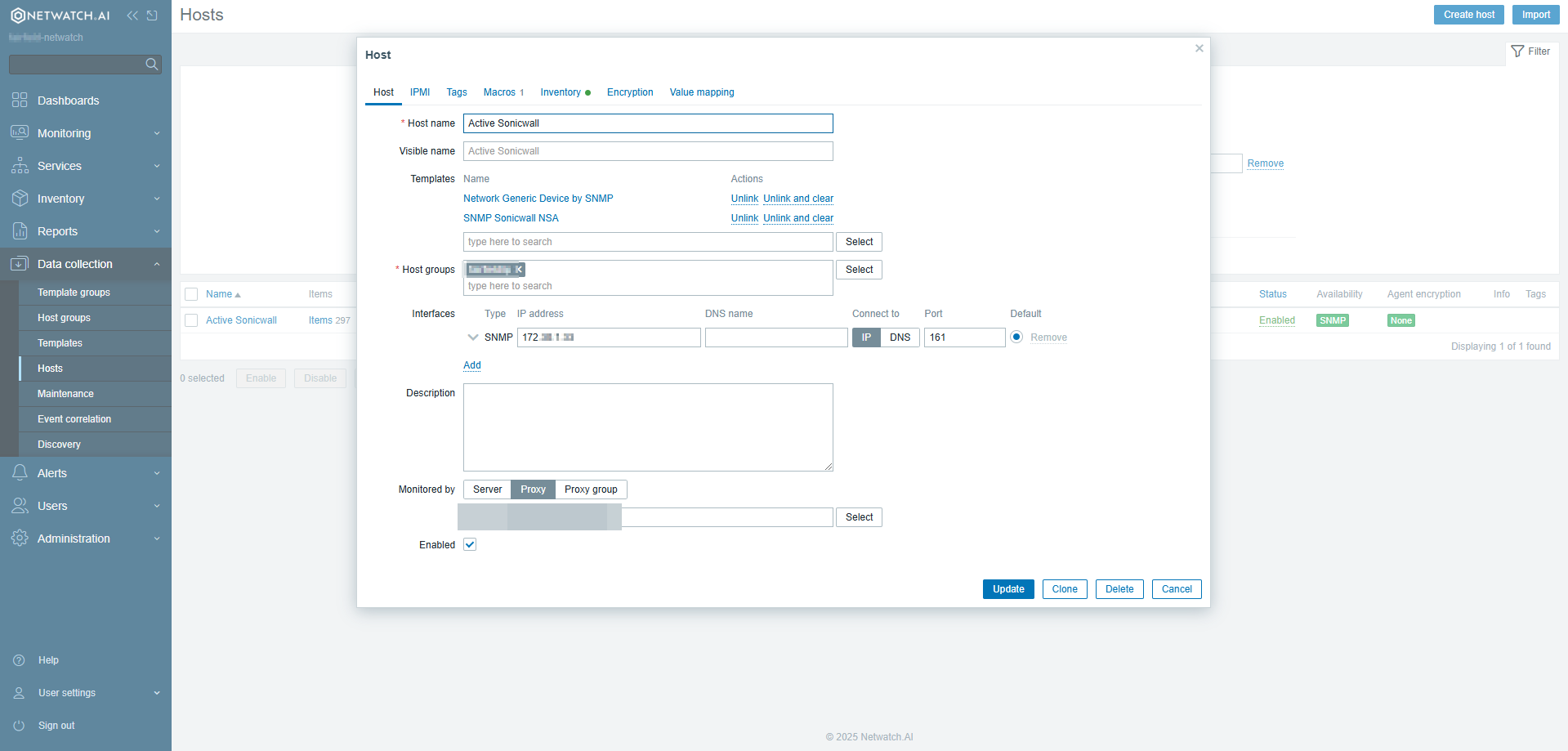
- Click Create Host.
- Enter the device name and select a host group.
- In the SNMP interface field, enter the IP address of the SonicWall firewall.
- Go to the Templates section and select the relevant Netwatch template (e.g., SNMP Sonicwall NSA).
- Add the template to the host.
- Click Apply/Update at the bottom of the page to save the host.
3. Monitor Metrics
- Netwatch templates contain predefined items and triggers for common firewall metrics.
- You can customize these items and triggers to monitor specific parameters relevant to your network.
- Netwatch can monitor various metrics, including:
- CPU usage
- Memory usage
- Interface status
- Traffic and more
4. Add SNMP Community String to Macro
- Navigate to Configuration → Hosts.
- Select your SonicWall firewall from the list.
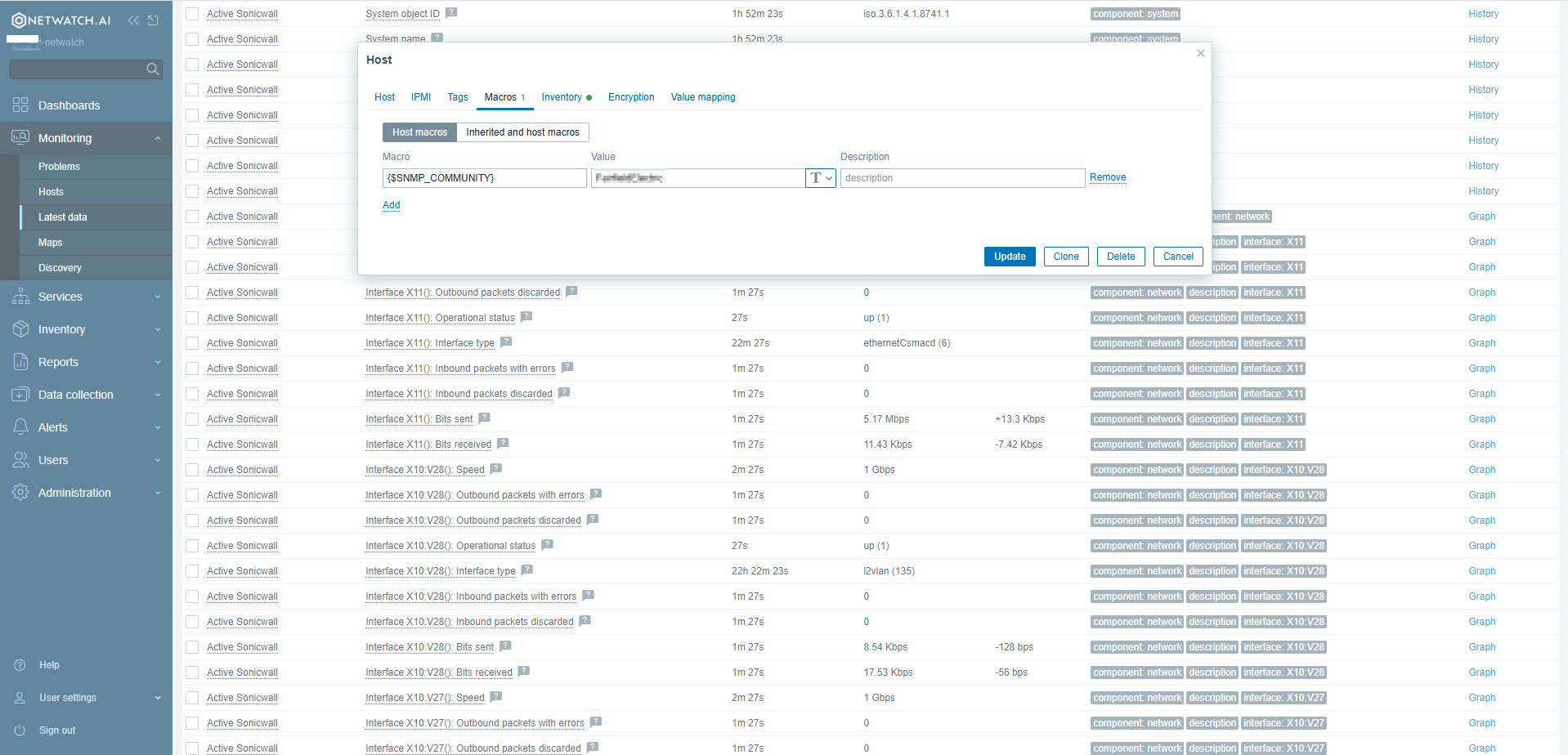
- Click on the Macros tab.
- Add a new macro with the name
{SNMP_COMMUNITY}and set its value to match the community string configured on your firewall. - Click Update to save changes.
Example: Monitoring a SonicWall Firewall
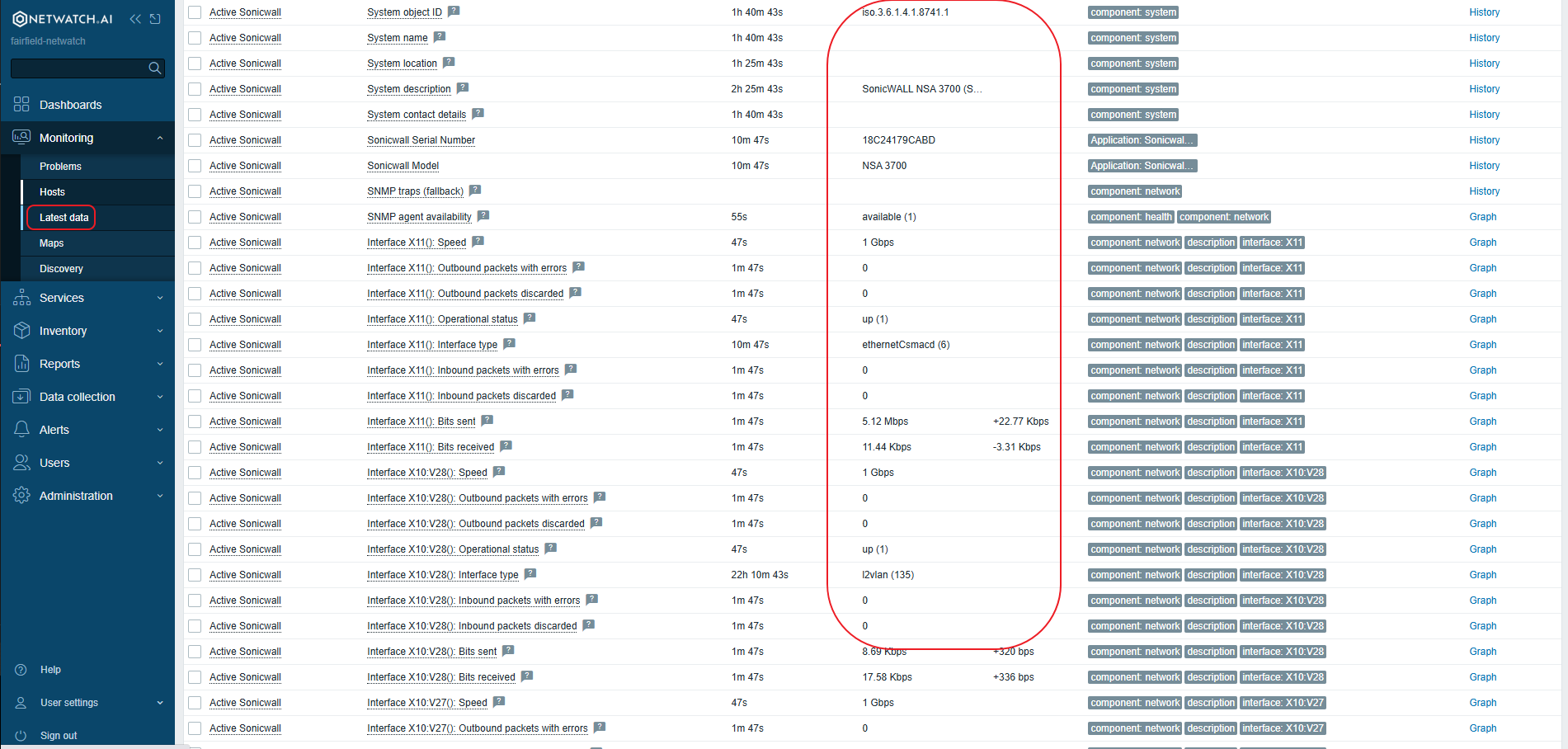
- Use the SNMP Sonicwall NSA template.
- This template automatically collects data on CPU usage, memory usage, interface status, and other metrics.
- Create triggers to alert you if any of these metrics exceed a certain threshold.
Key Considerations
- Choose the appropriate Netwatch template
- Ensure that SNMP is enabled and configured correctly on the firewall.