Netwatch Configurations
Create and manage host groups in Netwatch.
Overview
Host groups in Netwatch allow you to organize and manage multiple hosts efficiently. Grouping hosts makes it easier to apply configurations, set permissions, and streamline monitoring.
Steps to Create a Host Group
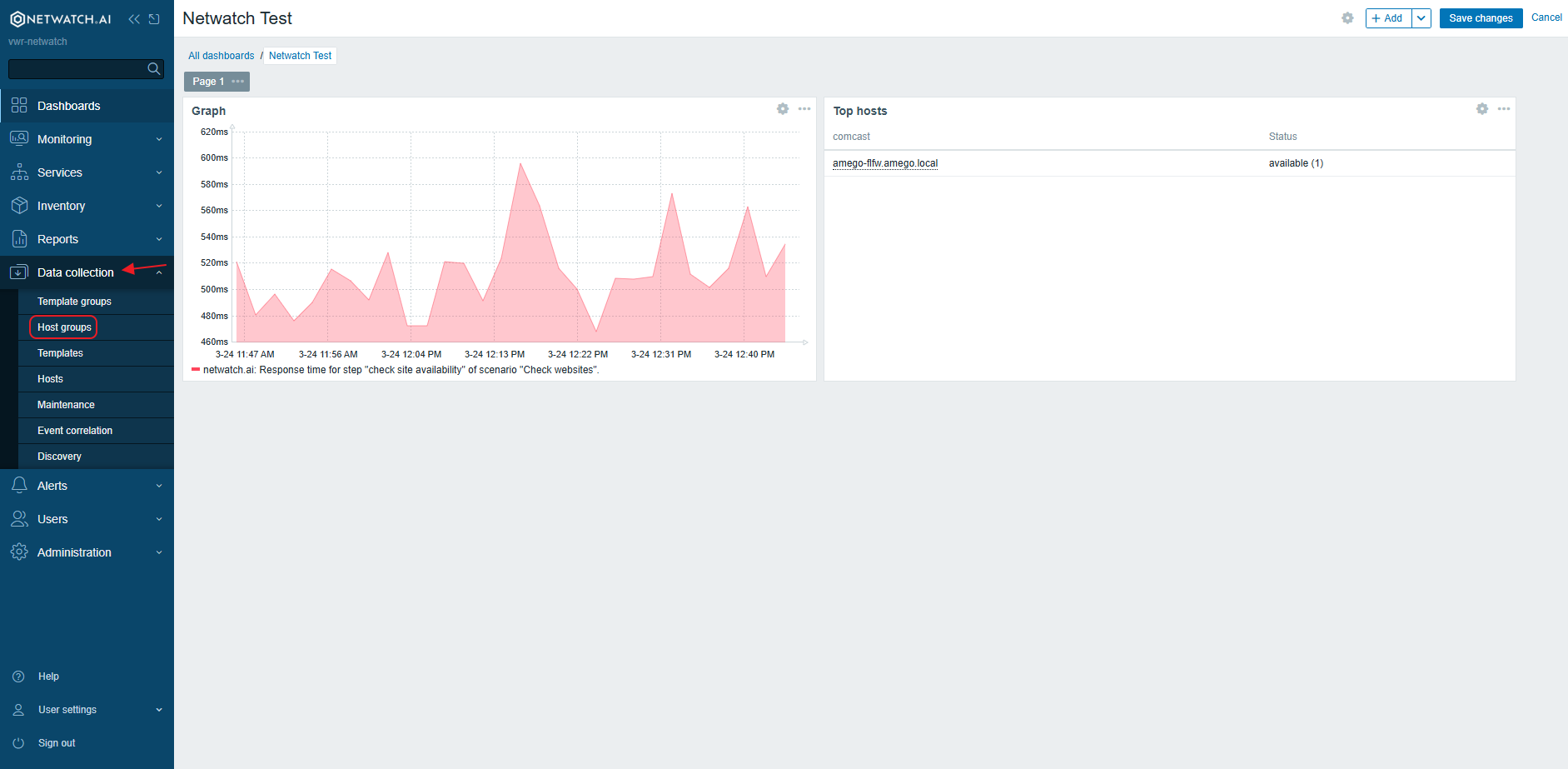
1. Access the Host Groups Section
- Navigate to the Data Collection tab in the Netwatch interface.
- Select Host Groups from the menu.
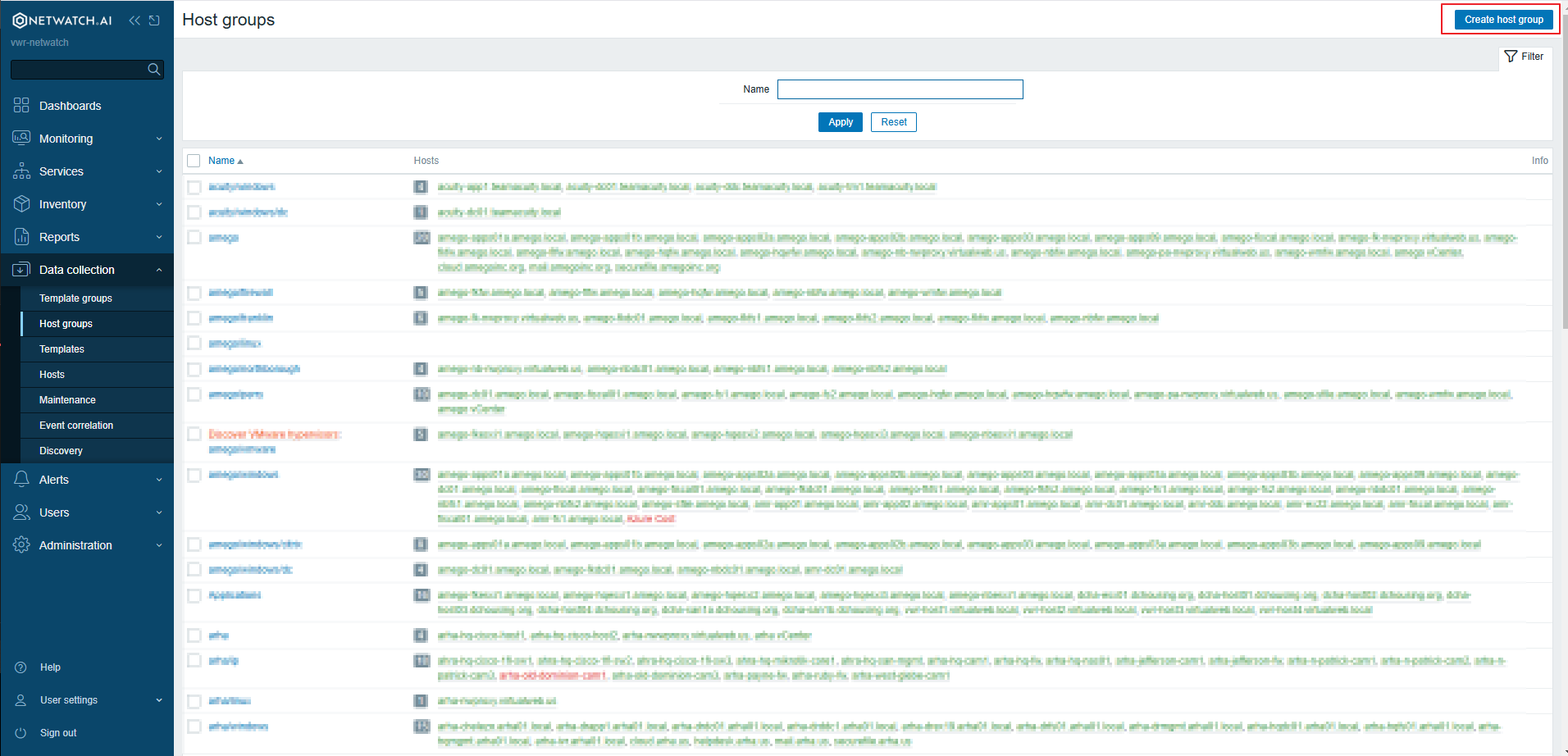
2. Create a New Host Group
- Click on the Create Host Group button.
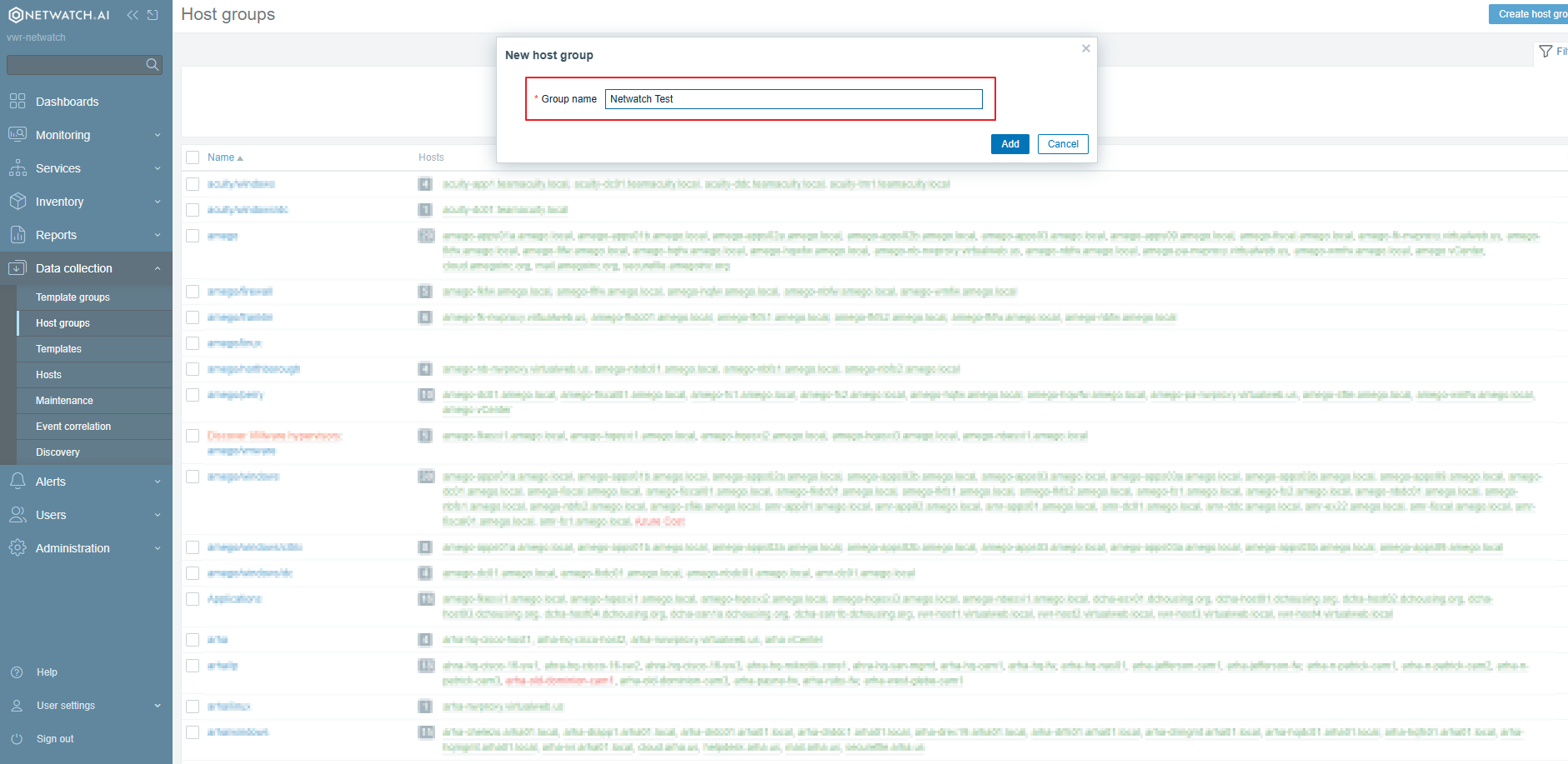
3. Configure Host Group Settings
- Name: Enter a unique name for the host group.
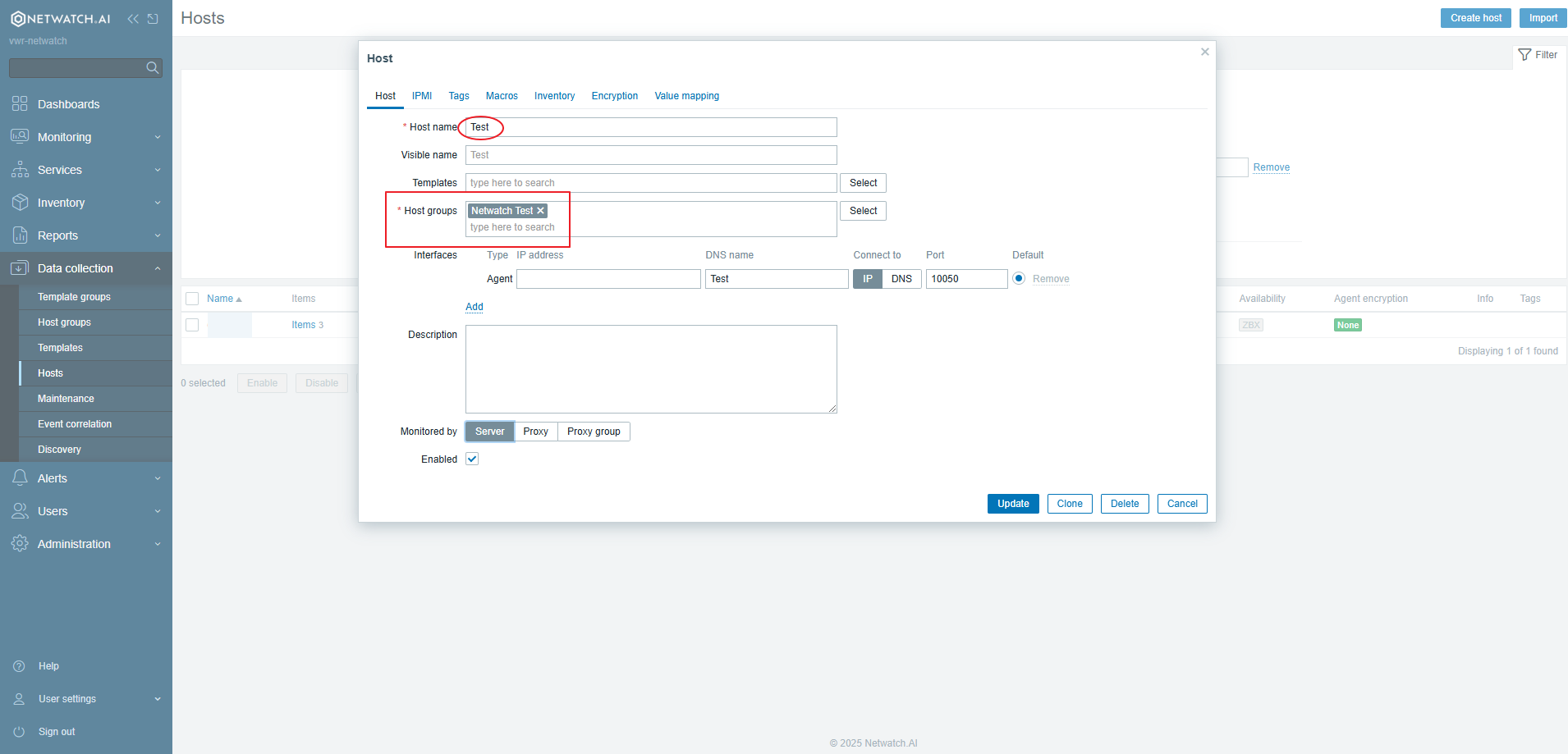
4. Add Hosts to the Group
- Click on Add Hosts.
- Select the hosts you want to include in the group.
- Click Apply to confirm.
Best Practices
- Organize hosts into meaningful groups based on function or location.
- Use consistent naming conventions for better management.
Host groups simplify monitoring by allowing efficient host organization and streamlined configurations in Netwatch.