Netwatch Configurations
Creating Hosts in Netwatch
Step-by-step guide on how to add and configure hosts in Netwatch.
Overview
A host in Netwatch represents any networked entity (physical or virtual) that you wish to monitor.
Steps to Add a New Host
1. Navigate to Host Configuration
- Go to the Configuration tab.
- Select Hosts from the menu.
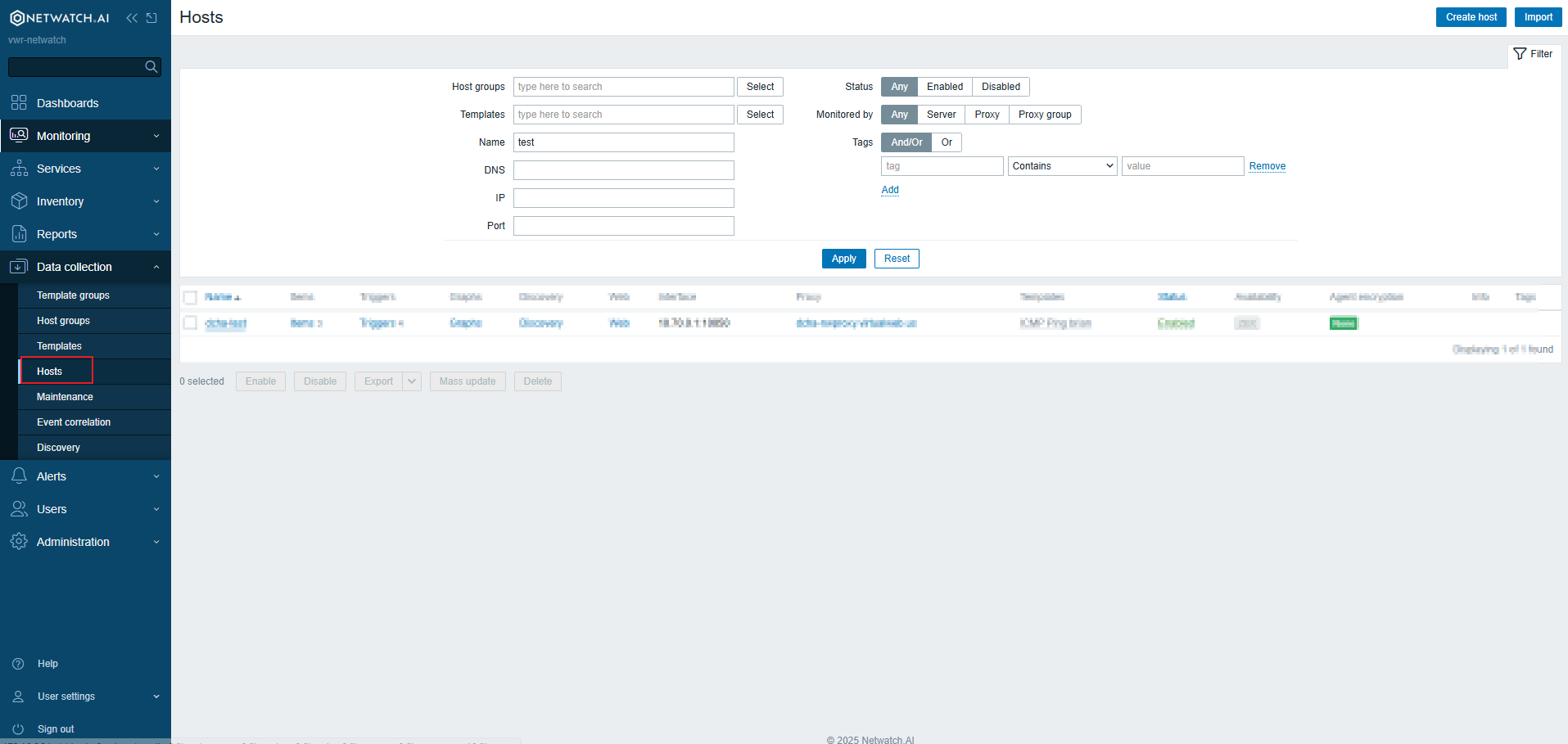
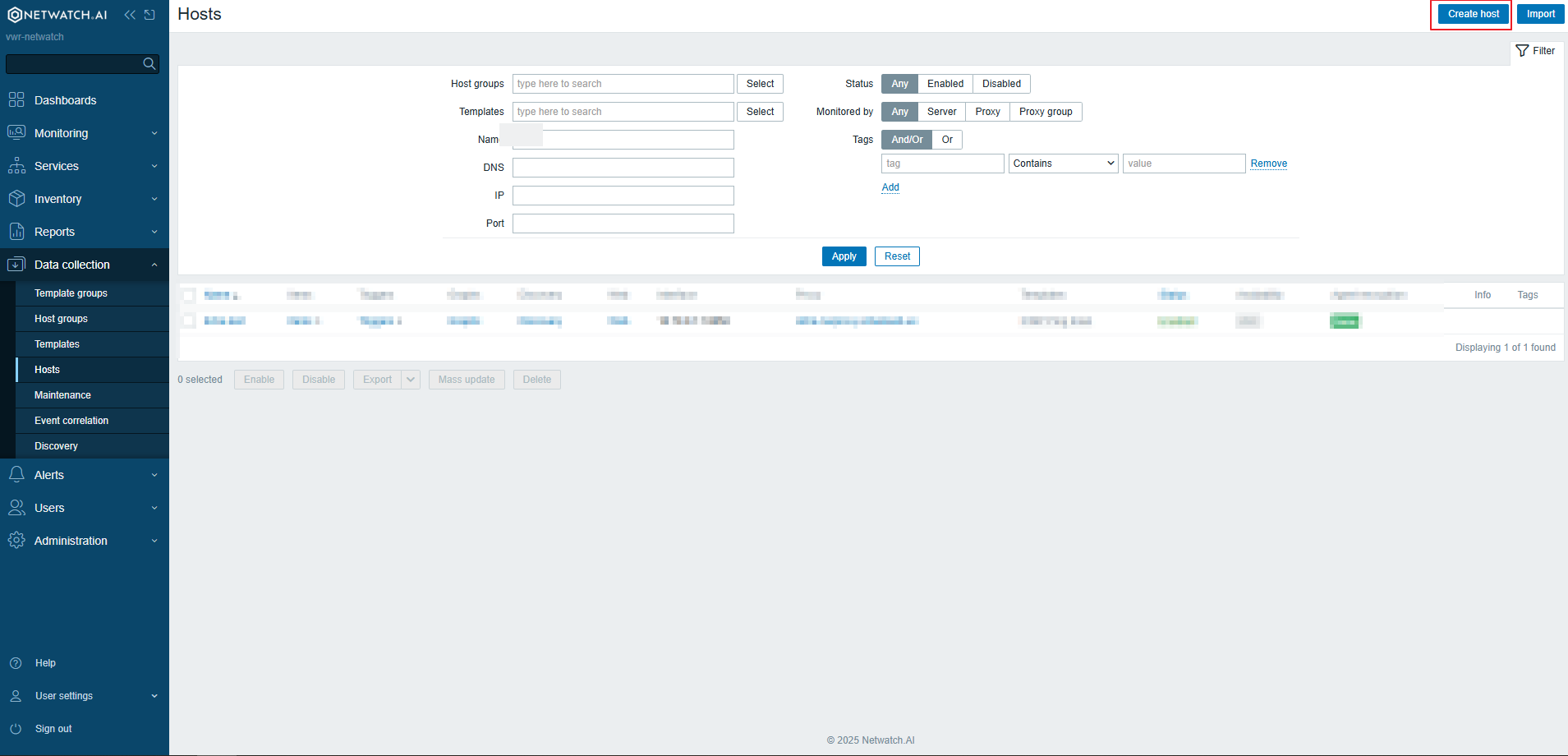
2. Create a New Host
- Click on Create Host.
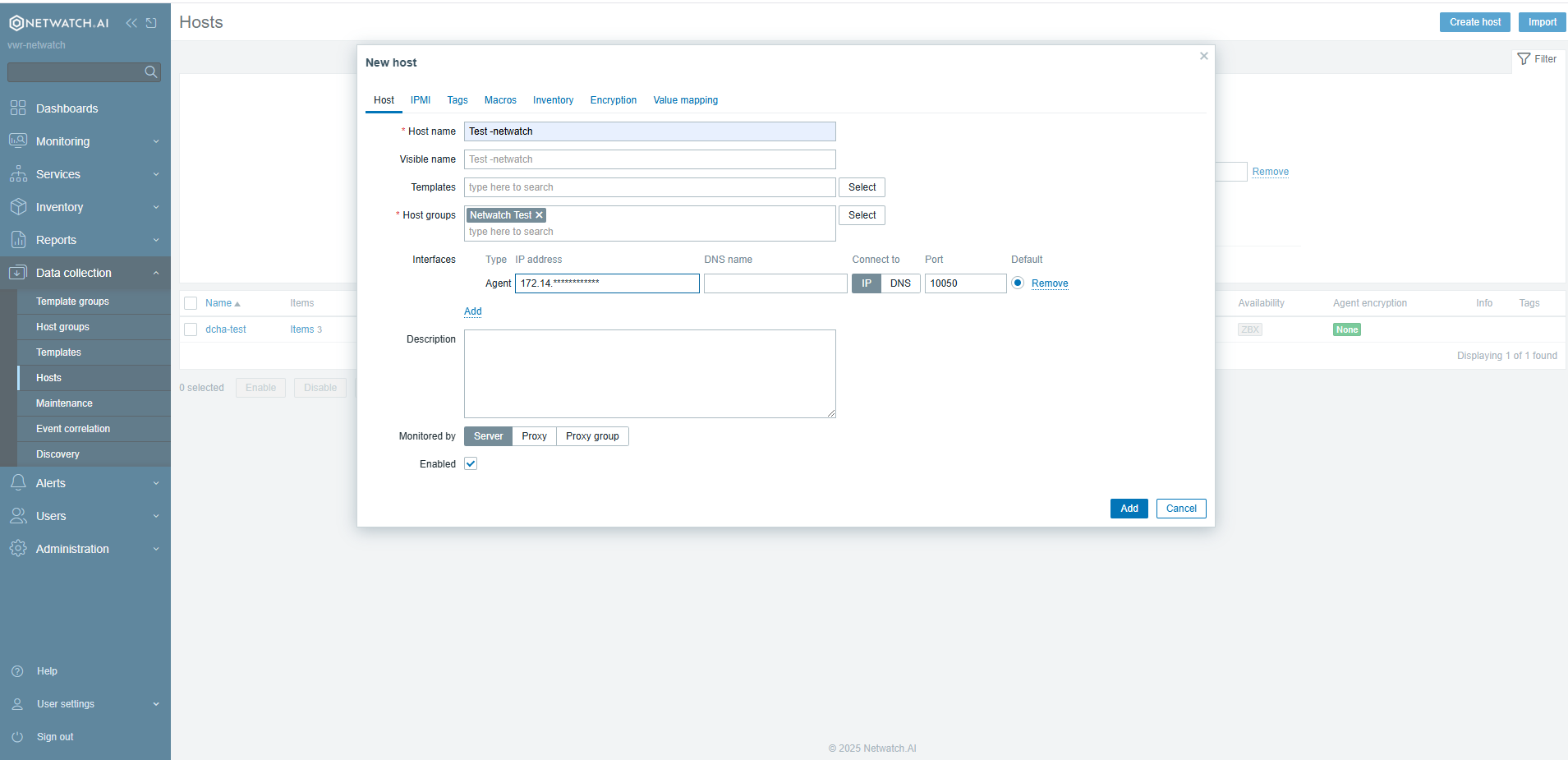
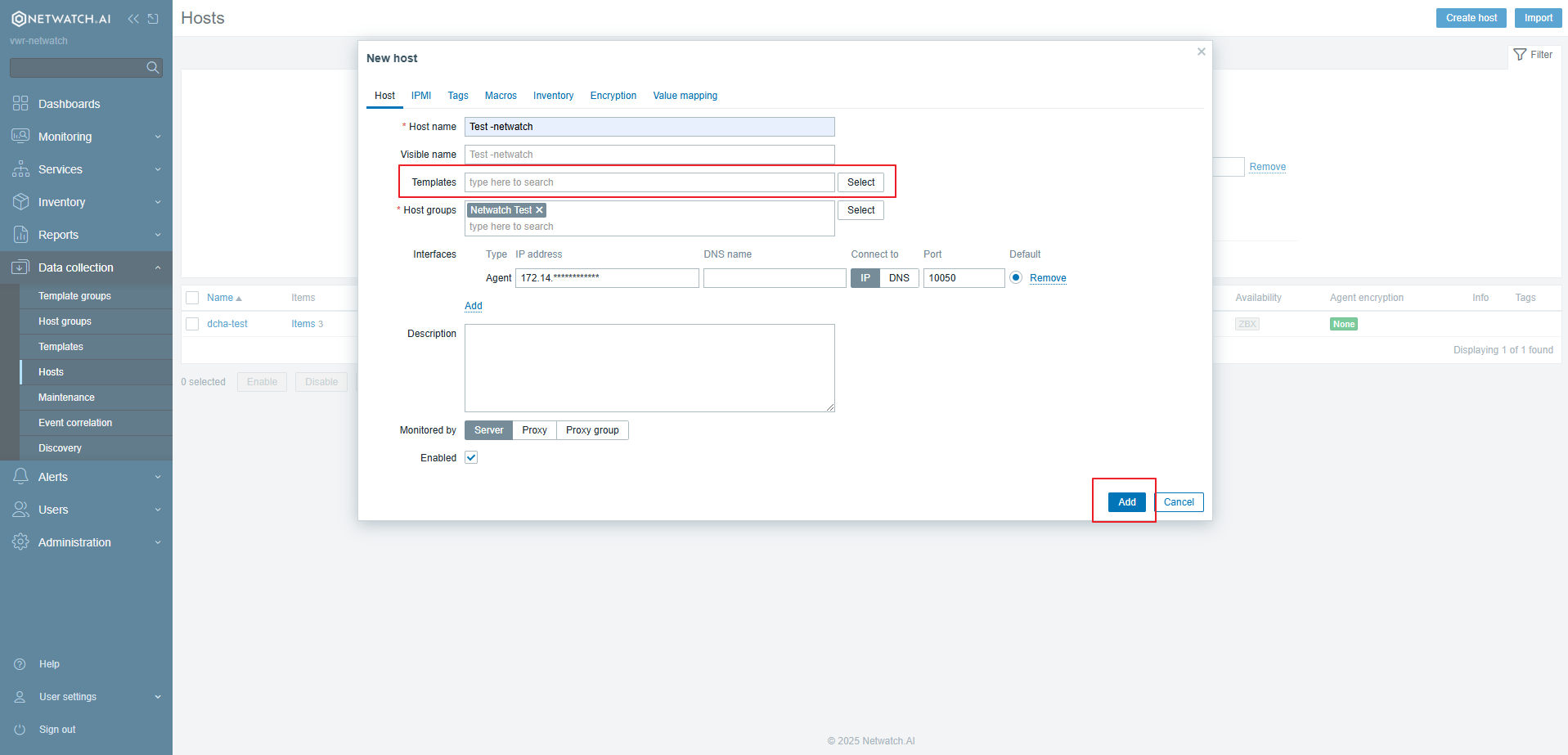
3. Enter Host Details
- Host Name: Enter a unique name for the host.
- Visible Name: (Optional) Enter a display name.
- Groups: Assign the host to one or more host groups.
- Interfaces: Add an interface with the IP address or DNS name of the host.
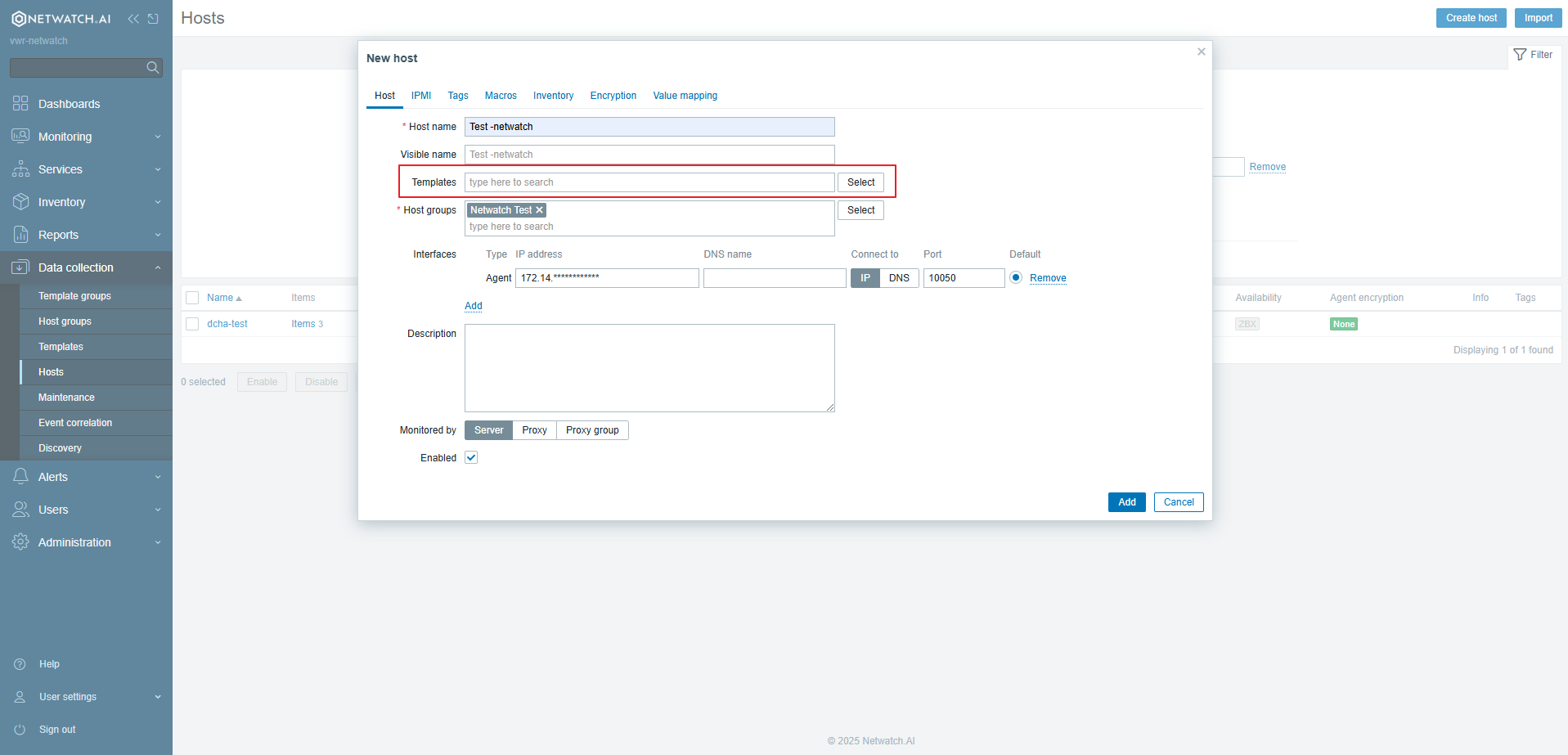
4. Link Templates
- In the Templates tab, link appropriate templates to define monitoring parameters.
5. Save the Host
- Click Add to finalize the host configuration.
Best Practices
- Always use descriptive names for hosts.
- Assign hosts to relevant groups for easier management.
- Use templates to standardize monitoring across similar hosts.
Once the host is added, it will be visible in the Hosts list, and monitoring will begin based on the linked templates.