
NetOPSSupport
Ticketing system
Access the Netwatch support portal and manage support tickets.
Access the Support Portal
Steps
-
Open your web browser.
-
Navigate to the support portal:
Sign In
Steps
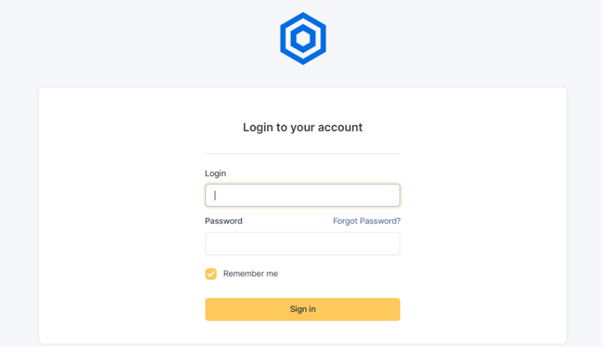
- On the login page:
- Enter your username
- Enter your password
- Click Sign In
Dashboard Overview
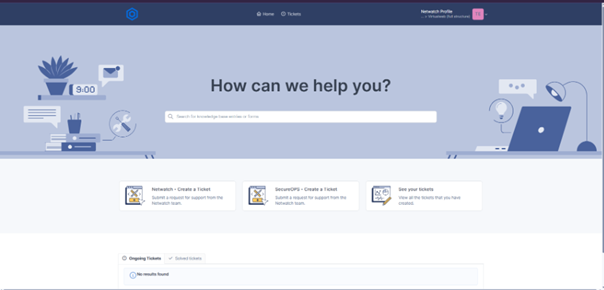
After signing in, you can:
- Submit a new support request
- View and track existing tickets
Create a Support Ticket
Steps
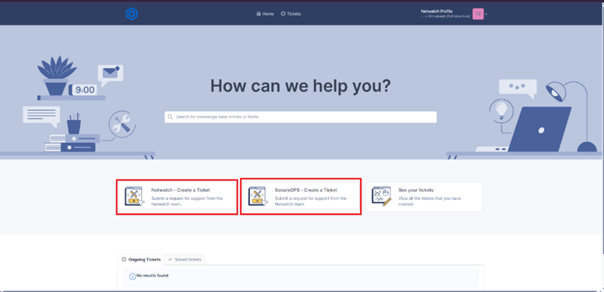
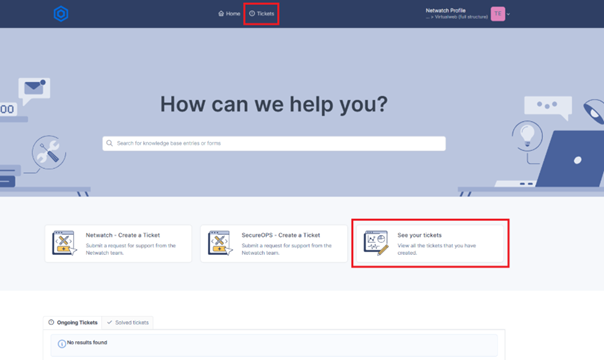
- Select one of the available options:
-
Netwatch – Create a Ticket
Use for general Netwatch support requests. -
SecureOPS – Create a Ticket
Use for security-related support requests.
Complete the Ticket Form
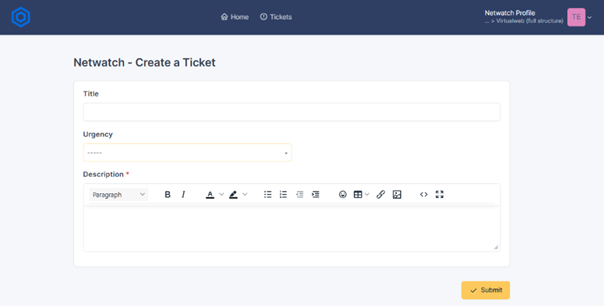
Provide the following details:
- Title — Short summary of the issue
- Urgency — Select the appropriate priority level
- Description — Include clear details such as:
- Error messages
- Screenshots
- Timestamps
- Any relevant context
- Click Submit once completed.
After Submission
Once your ticket is submitted:
- It is automatically routed to the appropriate support team
- You may receive notifications and status updates
View Your Tickets
Steps
- Select Tickets or See Your Tickets
You will be able to view:
- Open Tickets — Requests currently in progress
- Resolved Tickets — Completed requests
Track Ticket Progress
When viewing a ticket, you can:
- Review updates from the support team
- Add additional information or responses as needed
For additional assistance, please contact the Netwatch Support Team.