
NetOPSConfiguration
Critical devices
Mark devices as critical to enable alert filtering.
Overview
Marking devices as critical lets you filter and route alerts differently for your most important hosts. This is done by tagging critical hosts and then updating Trigger Actions to notify based on that tag.
1. Create a Host Tag on Devices Deemed Critical
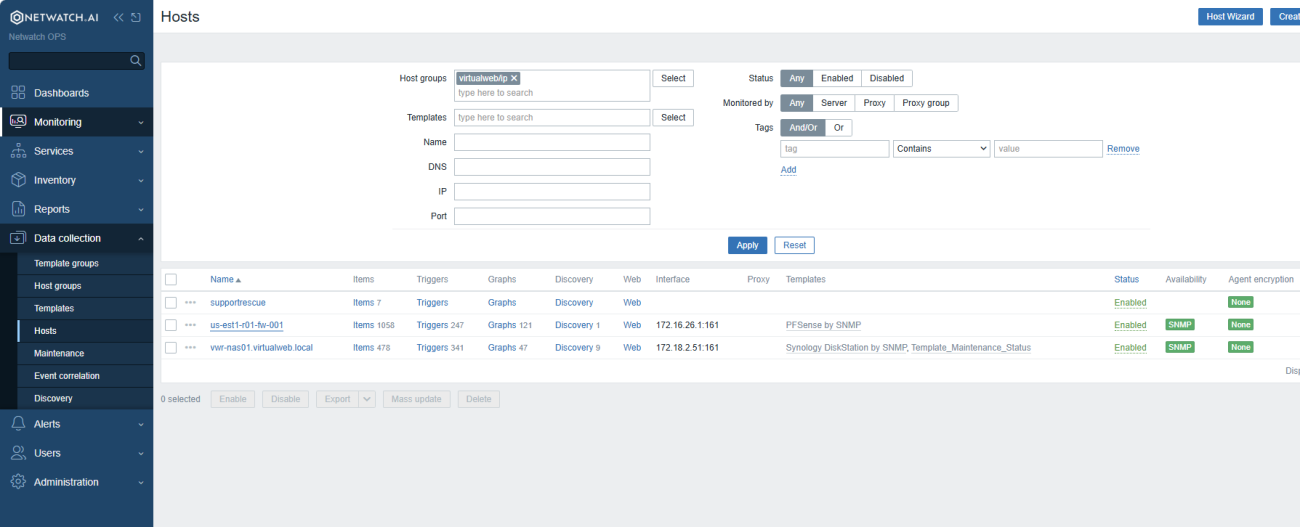
- Navigate to Monitoring > Host.
- Click on the name of the host.
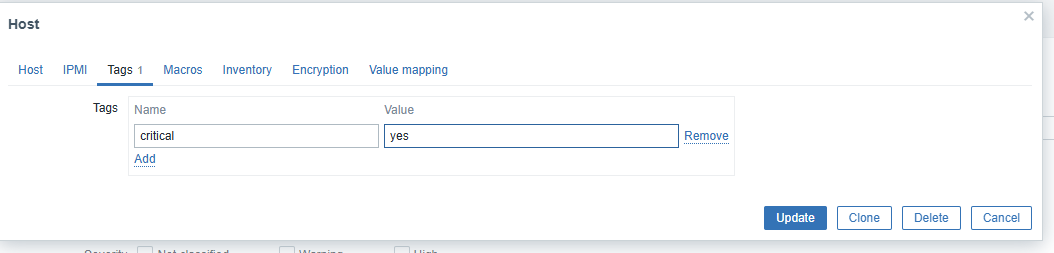
- Click on Host, then click on Tags.
- Enter critical under the Name field.
- Enter yes under the Value field.
Note: If the host is not critical, you do not need to add anything.
- Click Add.
- Click Update.
2. Update Trigger Actions
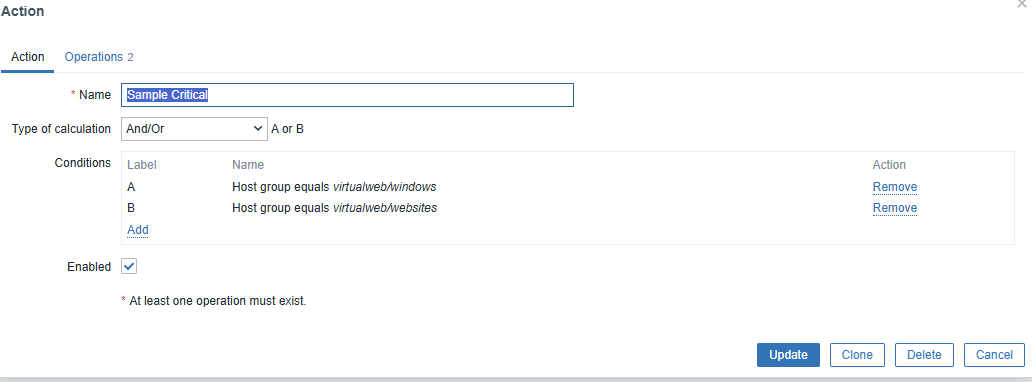
- Navigate to Alerts > Actions > Trigger Actions.
- Click on the name of the Trigger Action to be updated.
- Click Add to add a new condition.
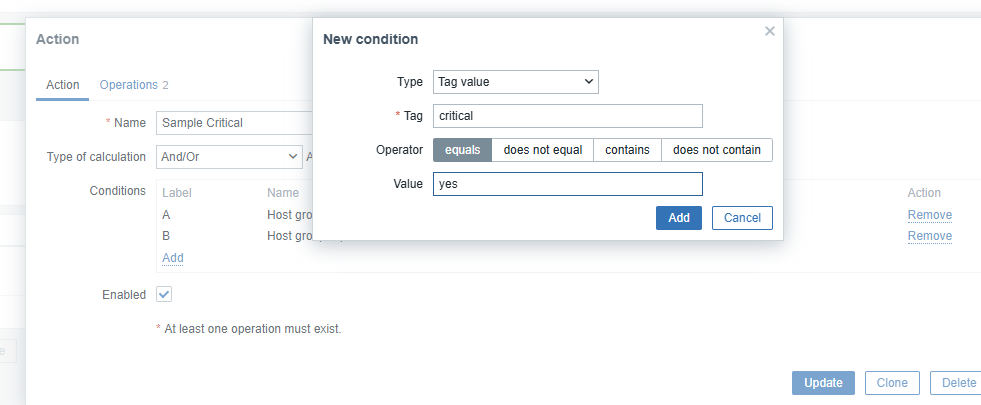
- Select Type as Tag Value.
- In the Tag field, enter critical.
- Set the Operator field to equals.
- In the Value field, enter yes.
- Click Add.
- Click Update to save the condition.
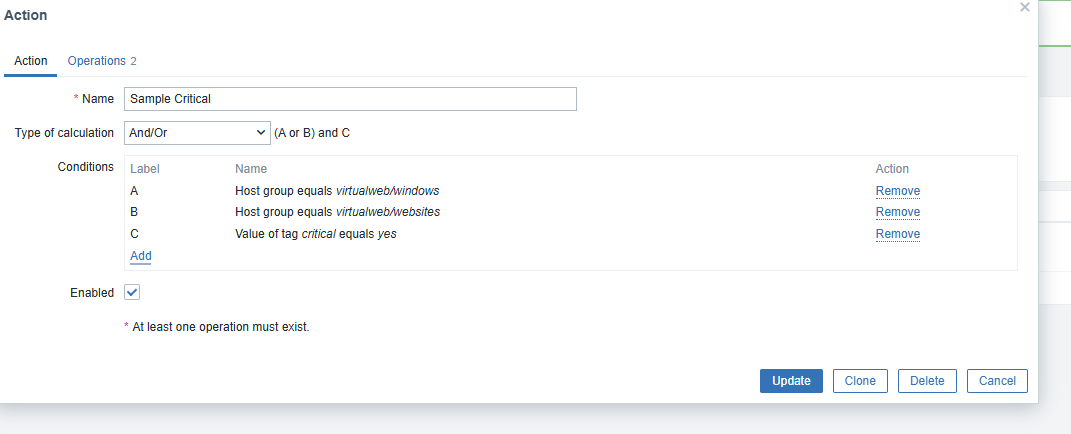
Note: Validate that the Type of Calculation field is correct.
3. Configure Operations
- Click on the Operations tab.
- Select the correct notification Media Type.
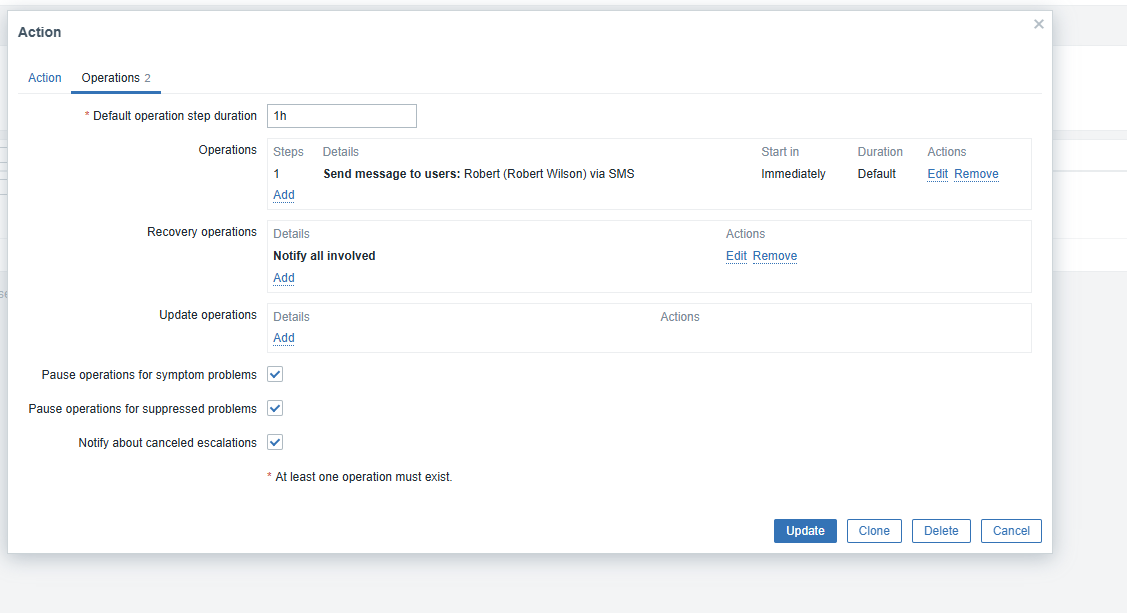
Once the host tag and Trigger Action condition are in place, alerts for critical devices will be filtered and routed according to the configured notification operations.