
Palo Alto Networks
Configure a Palo Alto firewall for API access and Netwatch integration.
Follow these steps to configure your Palo Alto firewall for API access and enable Netwatch AI integration.
Step 1: Create a Dedicated API User
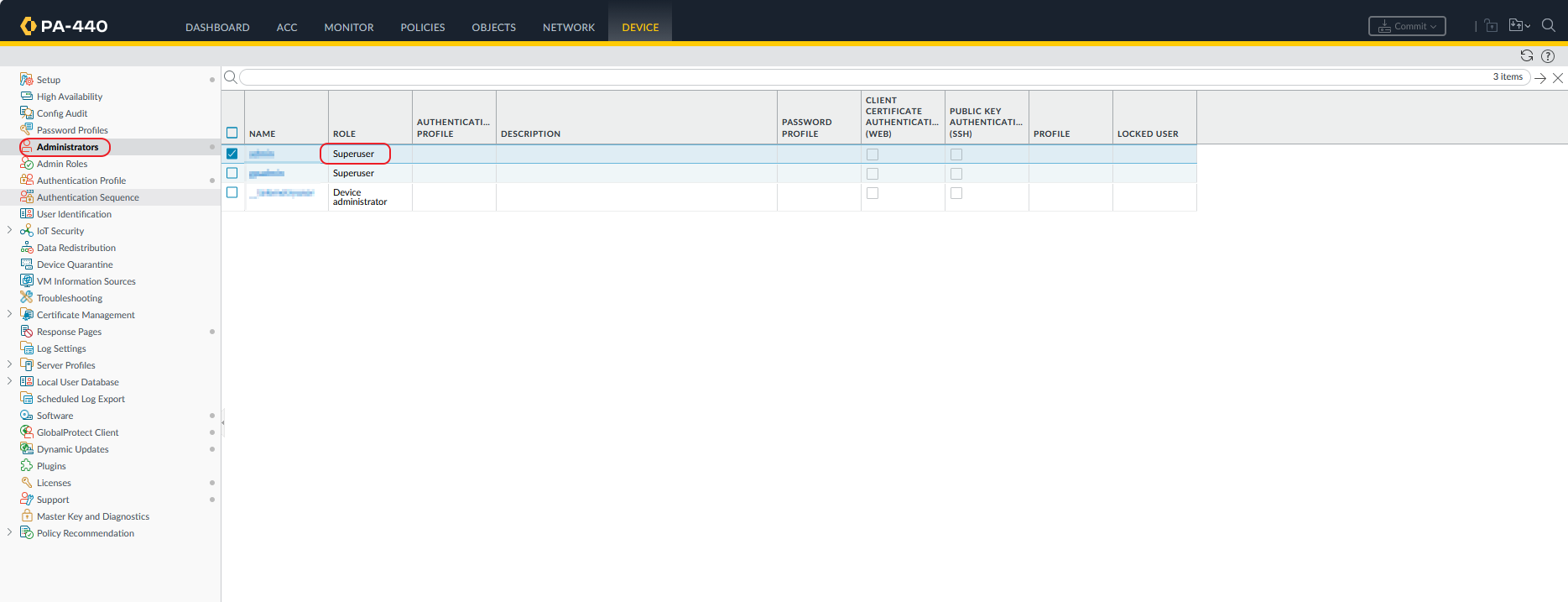
Go to: Device → Administrators → Add
Set the following:
- Username:
netwatch - Password: Strong password
- Role:
Superuser (read-only)— safest option for Netwatch AI integration
Step 2: (Optional) Create a Custom API Role
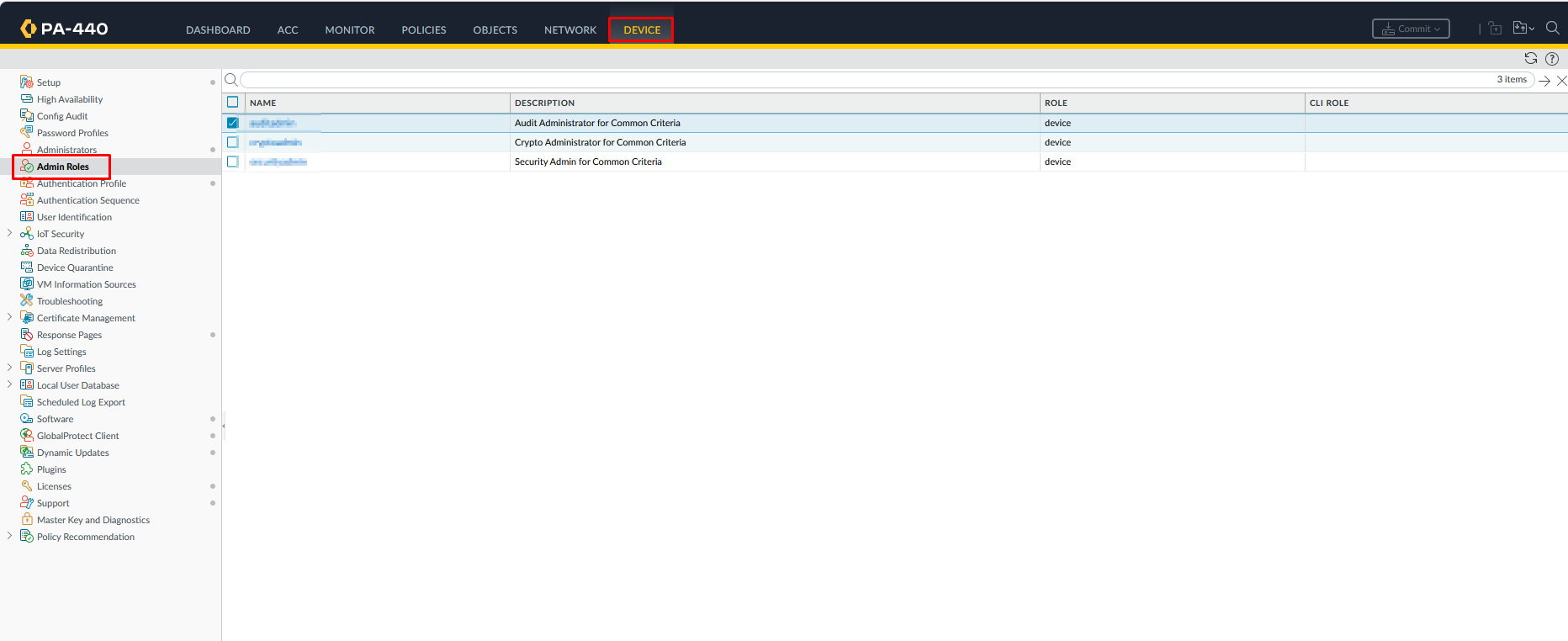
For tighter access control, go to: Device → Admin Roles → Add
- Role Name:
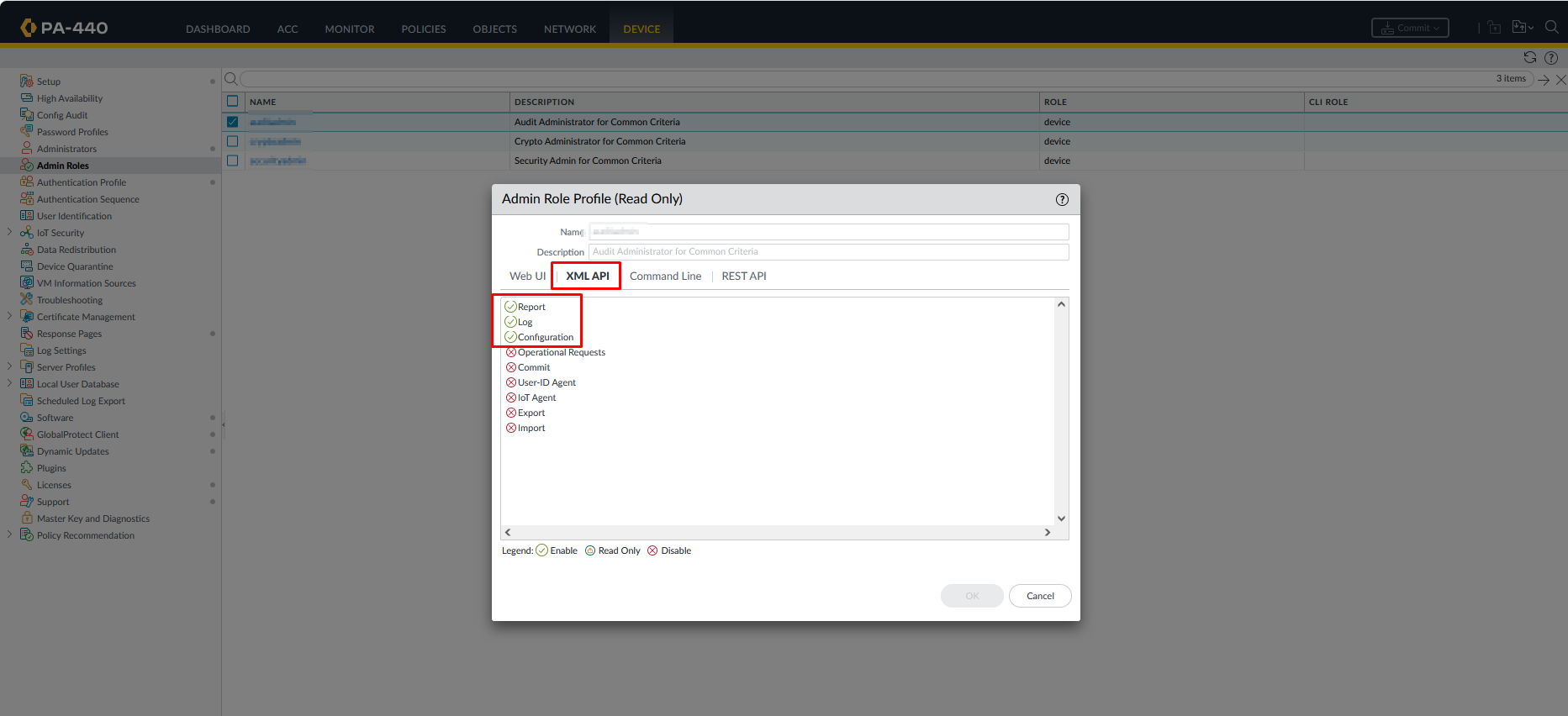
netwatch-role - Open the XML API tab and configure:
- ✅ Operational Commands (required)
- ✅ Logs (recommended)
- ❌ Configuration (disable unless needed)
Assign this role to the netwatch user created in Step 1.
Step 3: Allow API Access from Netwatch AI Server
Go to: Device → Setup → Management
Under Permitted IP Addresses, add your Netwatch AI server IP.
⚠️ This step is critical — most integration failures happen here.
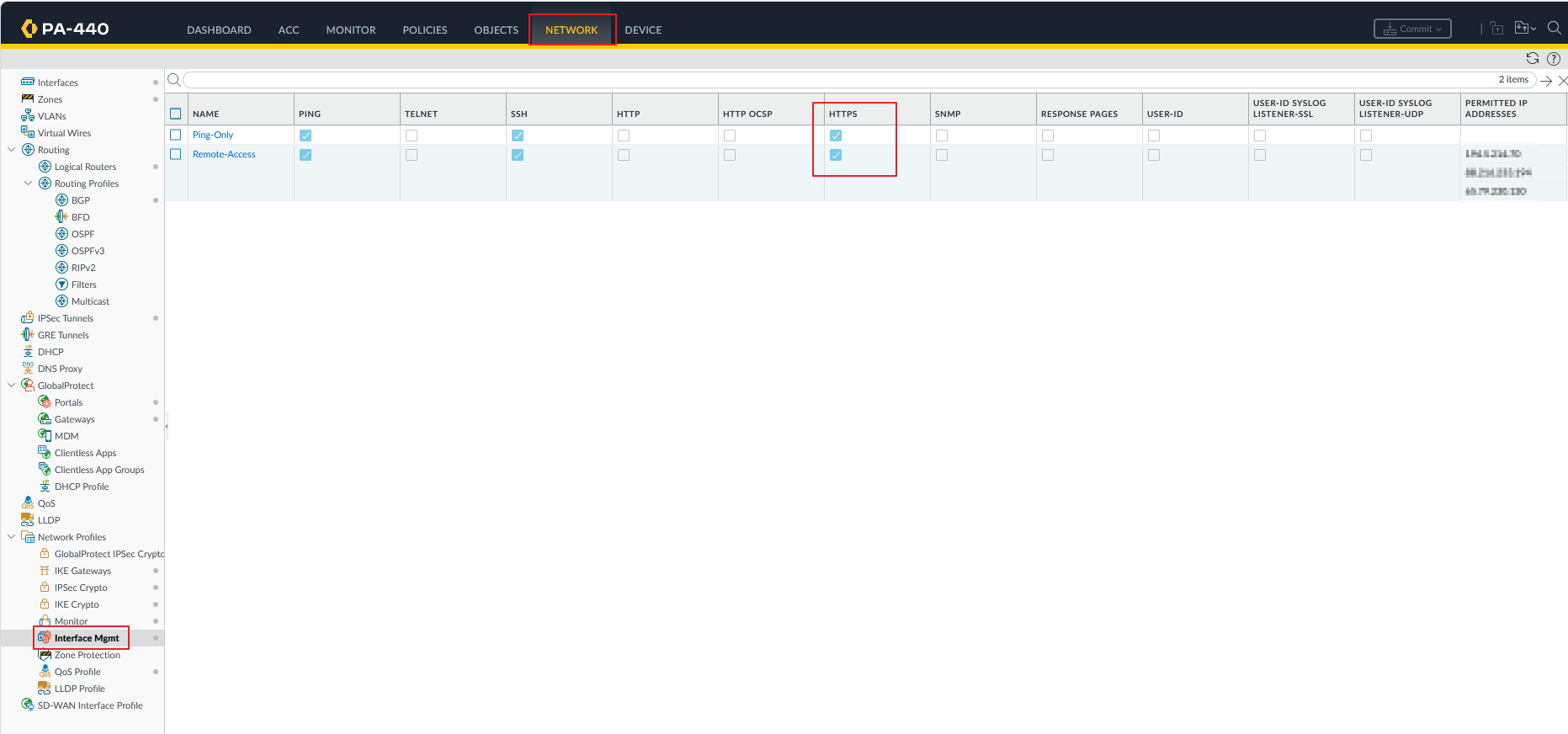
Step 4: Enable HTTPS on the Interface (Data Plane Only)
Skip this step if using the dedicated MGMT interface.
Go to: Network → Interfaces → [Your Interface] → Management Profile
Ensure HTTPS is enabled on the relevant interface.
Step 5: Generate Your API Key
Run the following in your browser or terminal to generate an API key:
https://<FIREWALL_MGMT_IP>/api/?type=keygen&user=netwatch&password=yourpasswordA successful response returns an XML block containing your API key.
Step 6: Test API Connectivity
Use the key to validate the connection:
https://<FIREWALL_MGMT_IP>/api/?type=op&cmd=<show><system><info></info></system></show>&key=YOUR_API_KEYA successful response returns firewall system information in XML format.
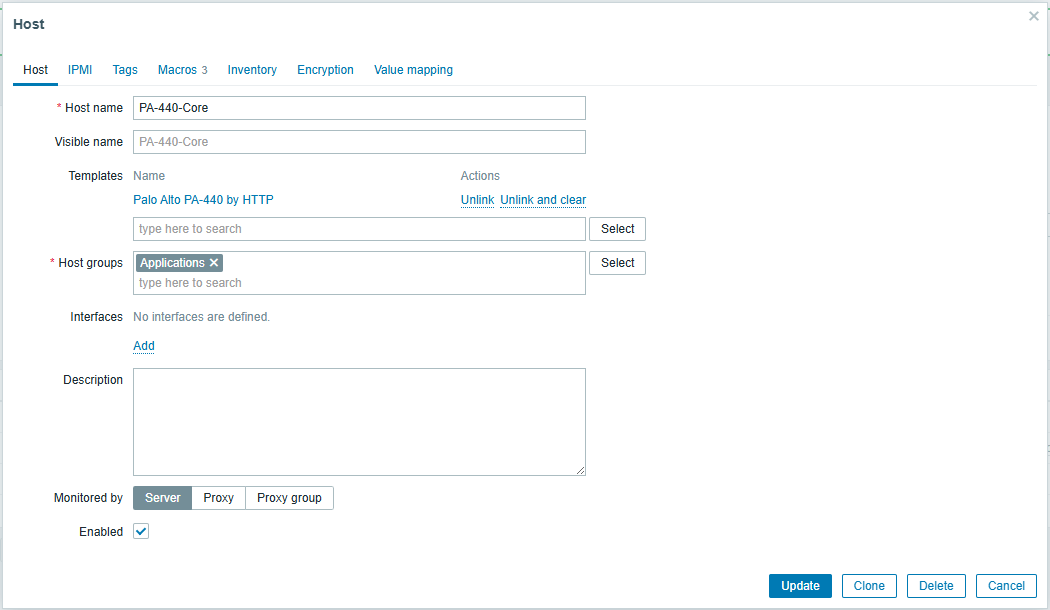
Step 7: Add Your Firewall as a Host
Go to: Configuration → Hosts → Create Host
Fill in the following:
- Host Name: Your firewall's name (e.g.,
PA-440-Core) - Template: Select the Palo Alto template
Step 8: Configure Host Macros (API Credentials)
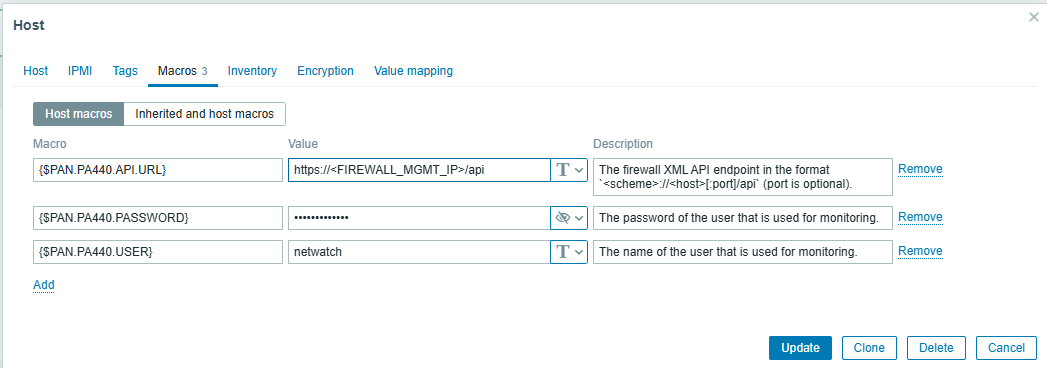
On the host, navigate to the Macros tab and set:
💡 Alternatively, paste your generated API key directly using the macro
{$PAN_API_KEY}instead of username/password.
Step 9: Verify Data Collection
Once the host and template are configured, Netwatch will begin collecting:
- System health
- Interface statistics
- Traffic metrics
- Security events (based on role permissions)
✔ Your firewall is now fully integrated with Netwatch.